
Run your fleet your way.
Dashboard, dispatch calendar, bookings, partner rides and pricing drawn on a map, in one console. Light or dark.
Screenshots in this gallery: Fleet overview, Ride calendar, Rides from partners
Assign a waiting booking, start to finish
A desktop recording of the console: an unassigned ASAP booking on the board, a driver picked from the list with their rating shown, and the assignment confirmed.
Recorded on the operator console, demo fleet data
Who is free, and where
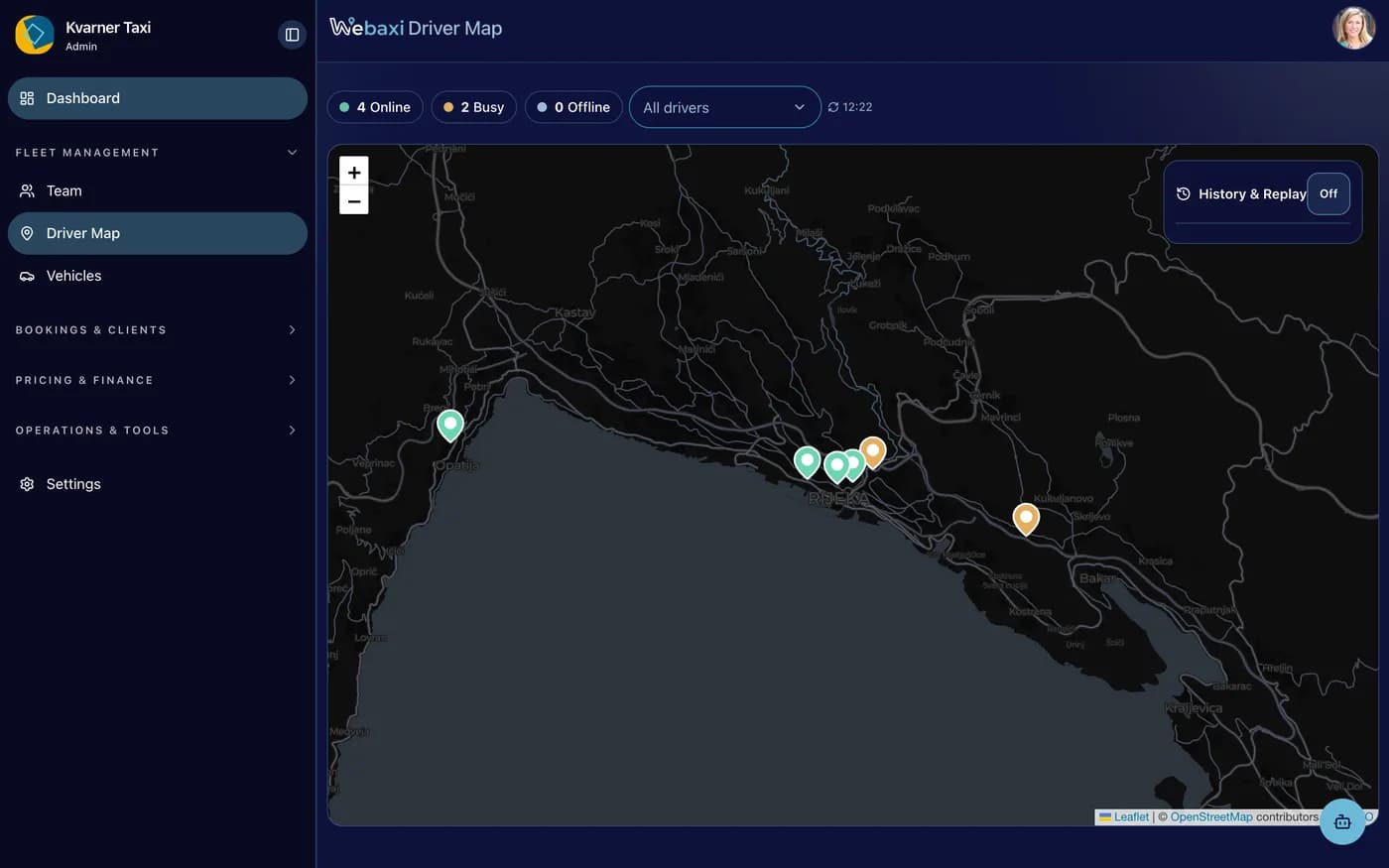
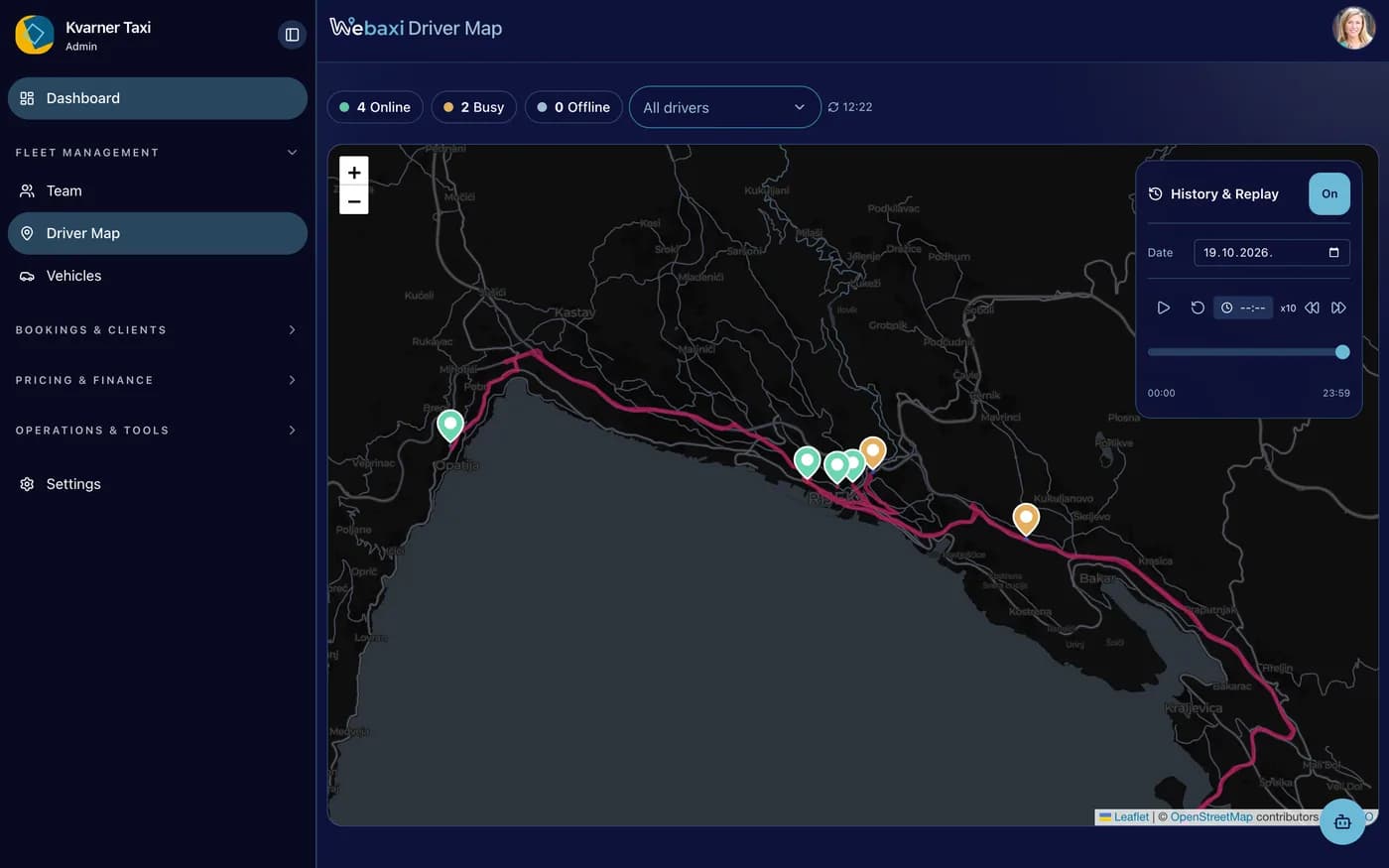
The driver map plots every online driver with their last position and how old it is.
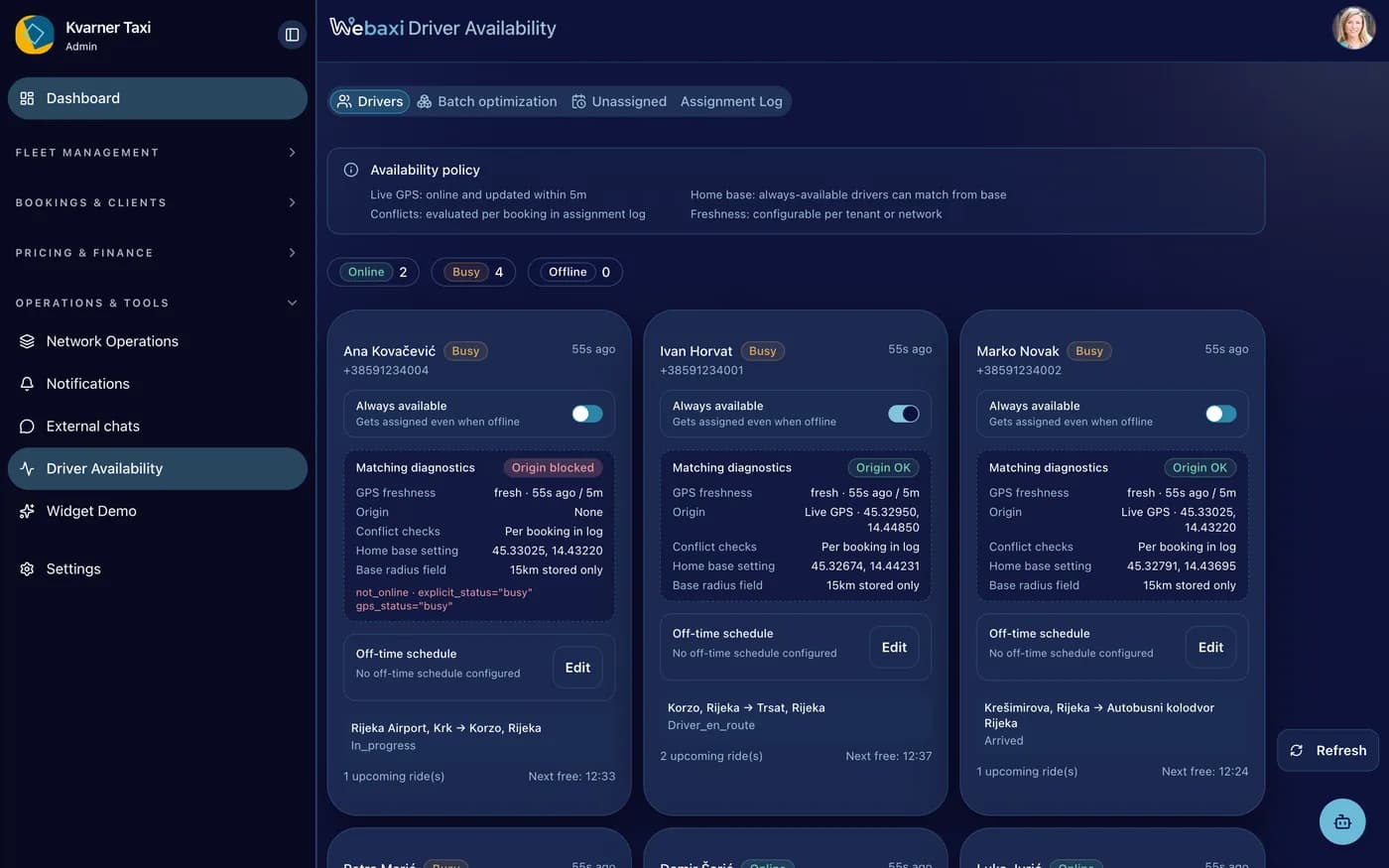
Checked before you confirm
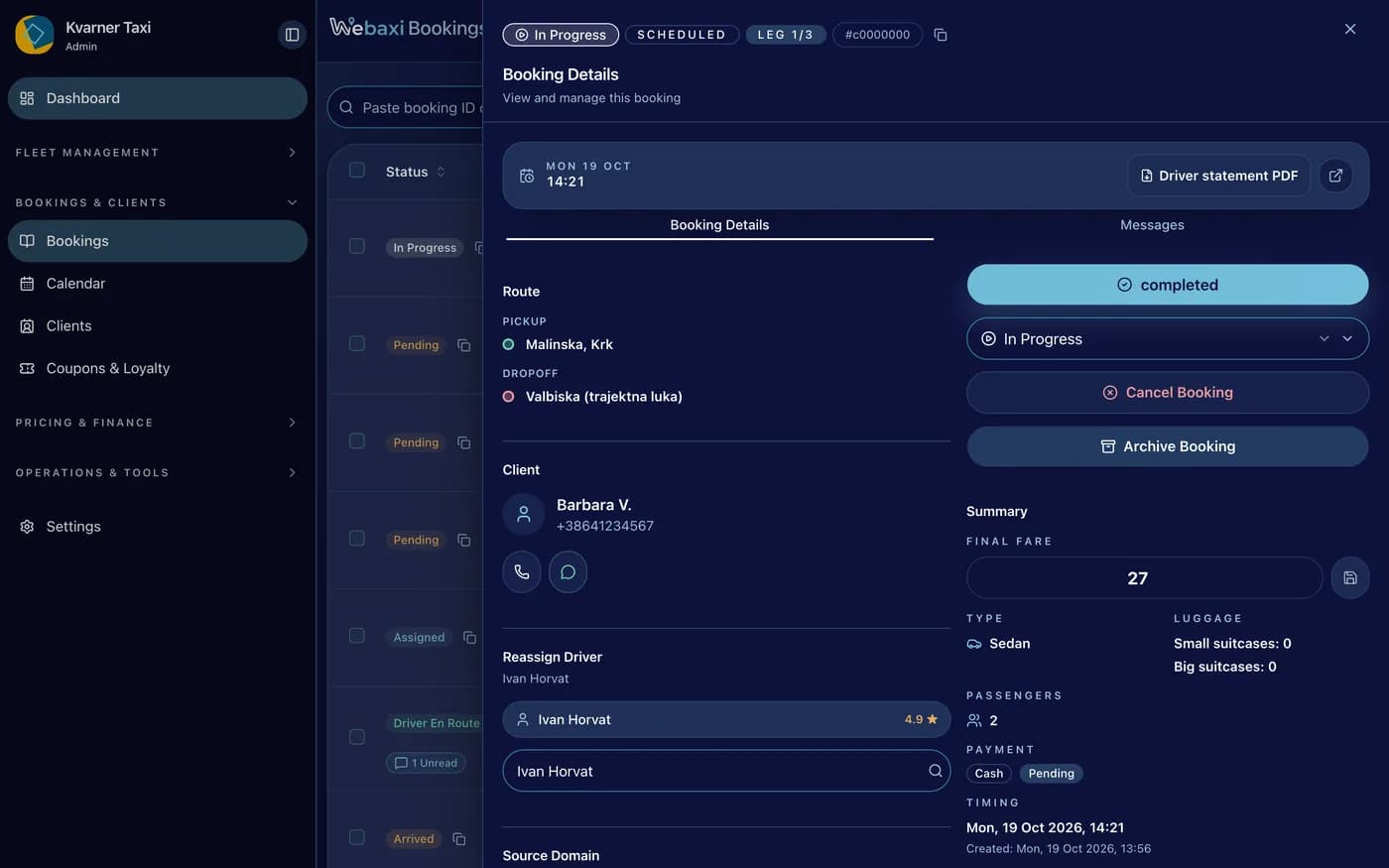
The console says whether that driver can take the ride. Conflicts and eligibility show up before you assign.
Settled every week
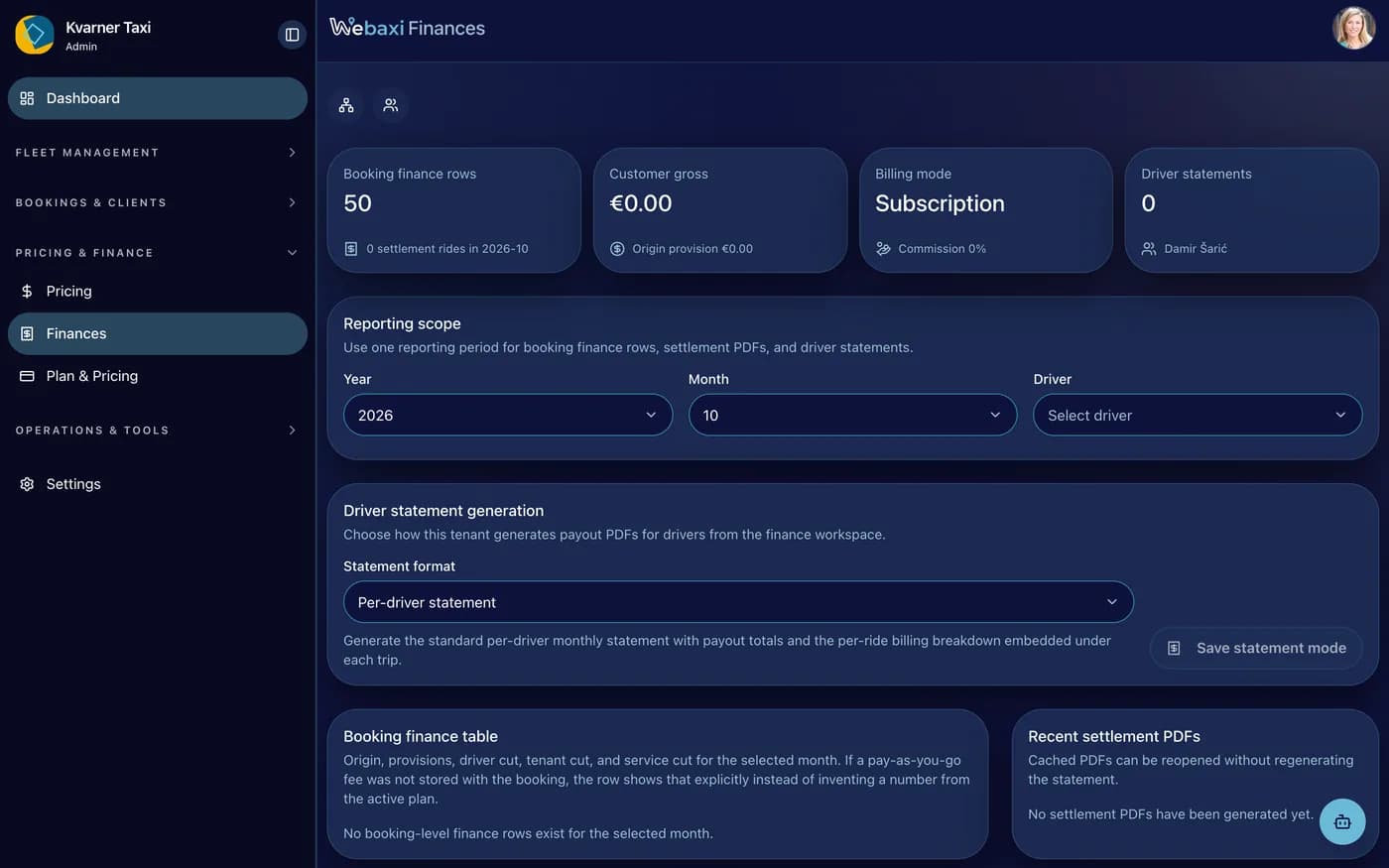
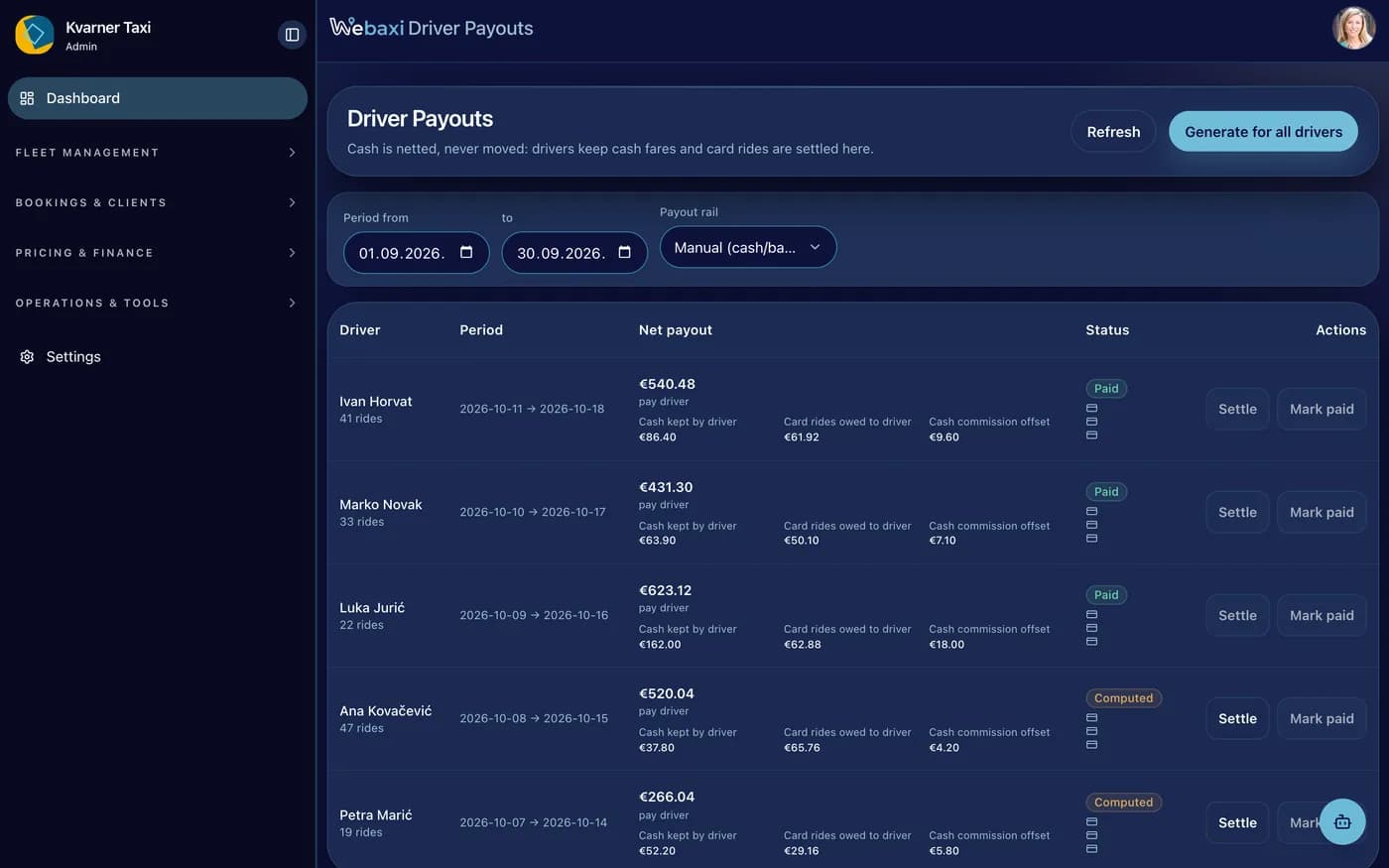
Per-driver statements: online fares, cash the driver kept, the platform fee, and a net payout to mark paid.
The console keeps up
Statuses, unread chats and overdue markers change without reloading the page.
Your day on one screen
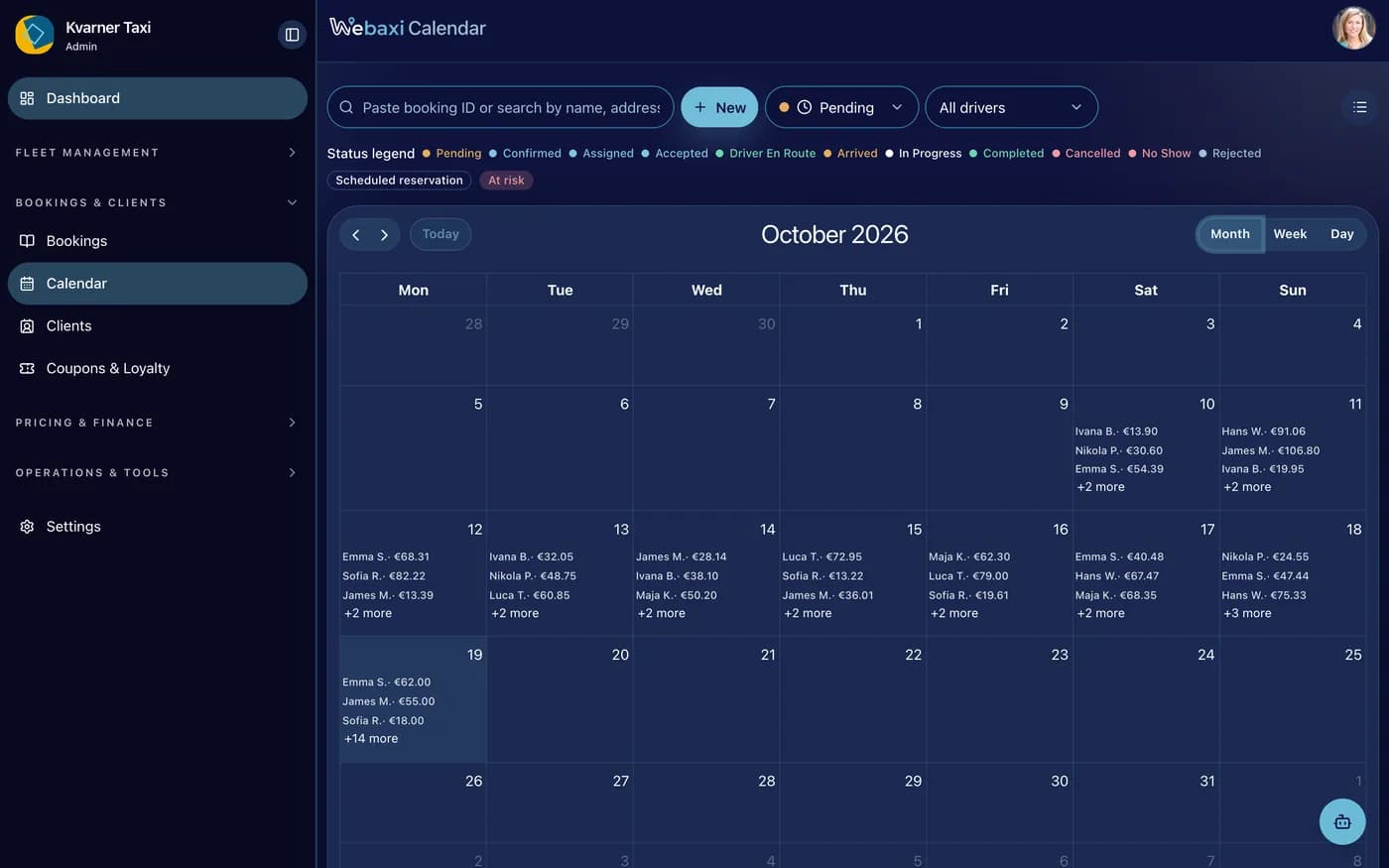
Active bookings, revenue, drivers online and how many cars you have, in one view. Then the week in a calendar coloured by what each ride needs.
Everything happening now
Bookings, revenue, drivers and cancellation rate. The pulse of the fleet.
A calendar you read by colour
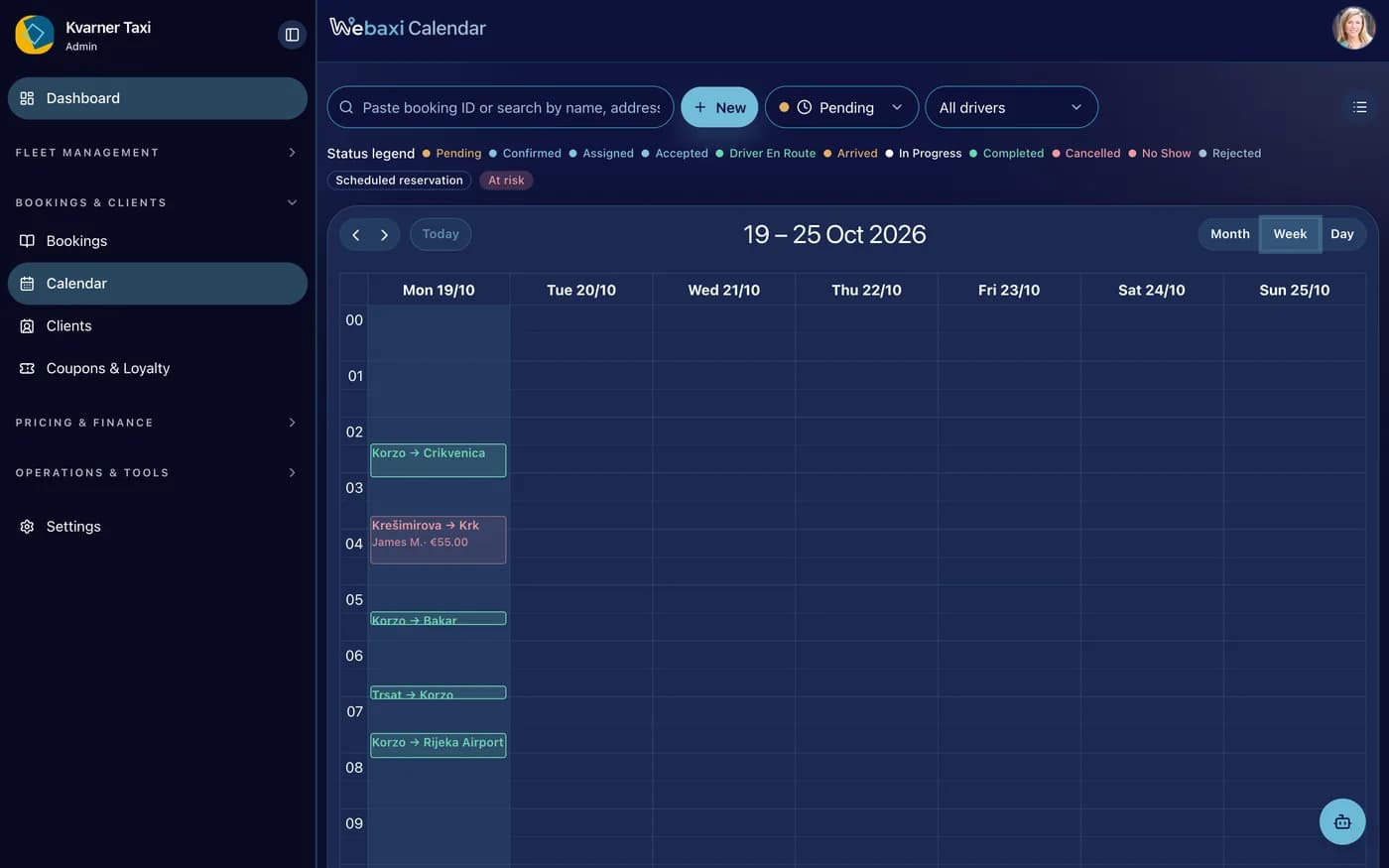
Pending, confirmed, assigned, accepted, on the way, arrived, running, finished, cancelled. One legend to learn.
Search & filter bookings
Paste a booking number or search by name. Status, price and times are all there.
Extra rides from partners
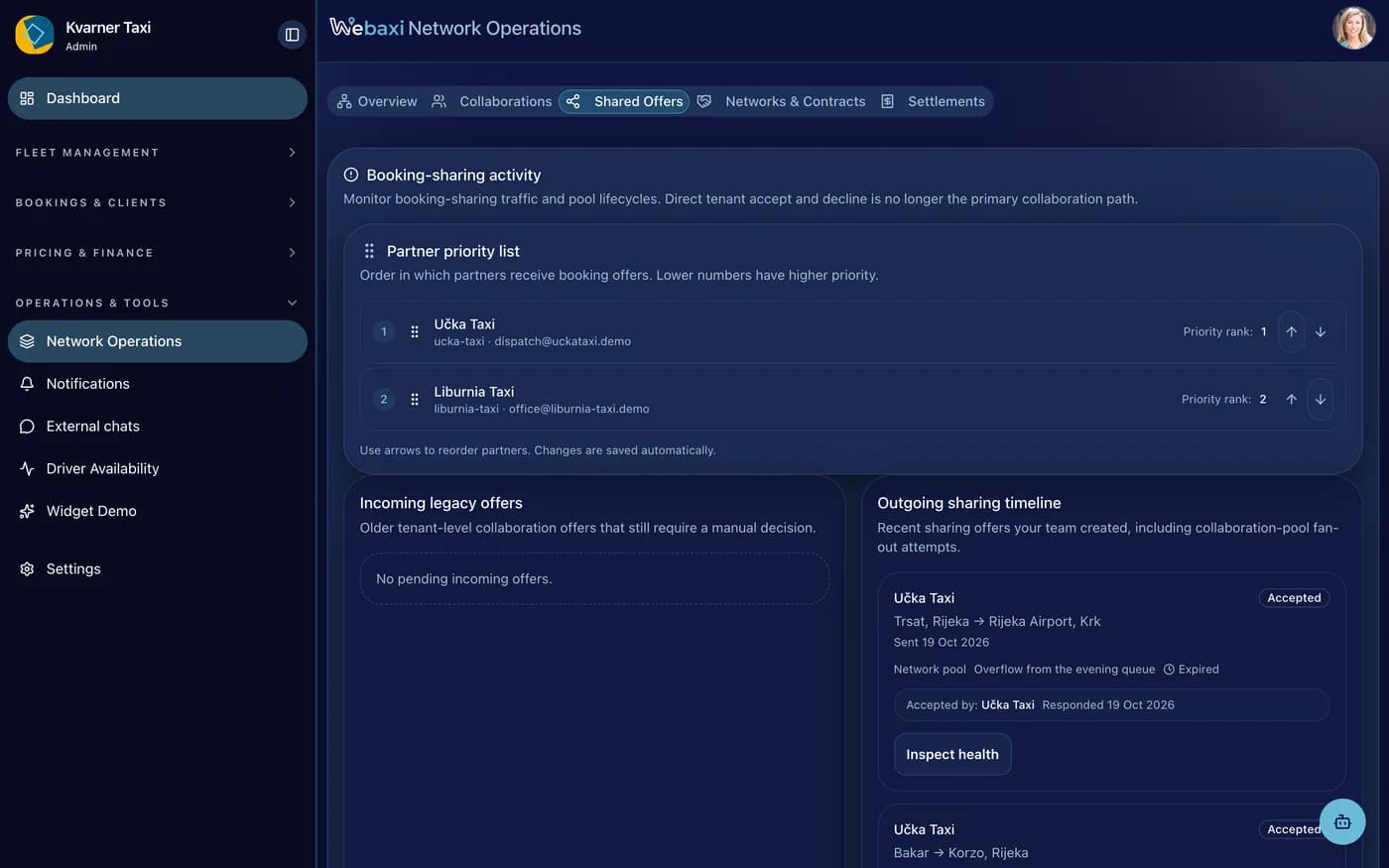
Send rides to partner fleets when you have no car free, and take theirs when you do. Fees you can see, your rules, your brand.
“Assigned or offered to you”
Rides coming from partners appear in your bookings list with a clear sharing label and the fare.
Transparent fees
Fees agreed between the fleets. No hidden commission for anybody.
Cooperation that pays both ways
Both fleets win: the sender doesn't lose the ride, the receiver earns it.
Prices you draw on a map
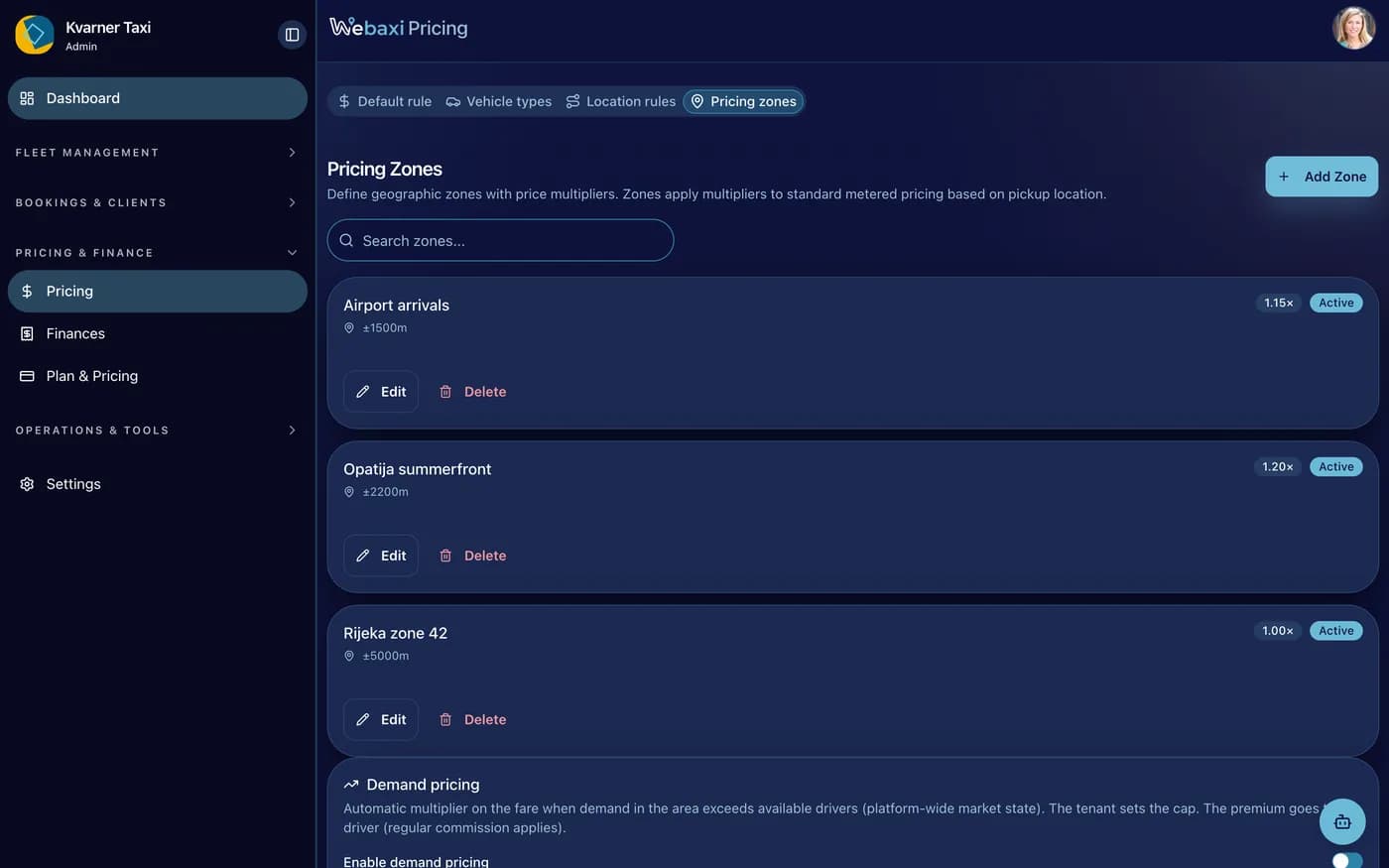
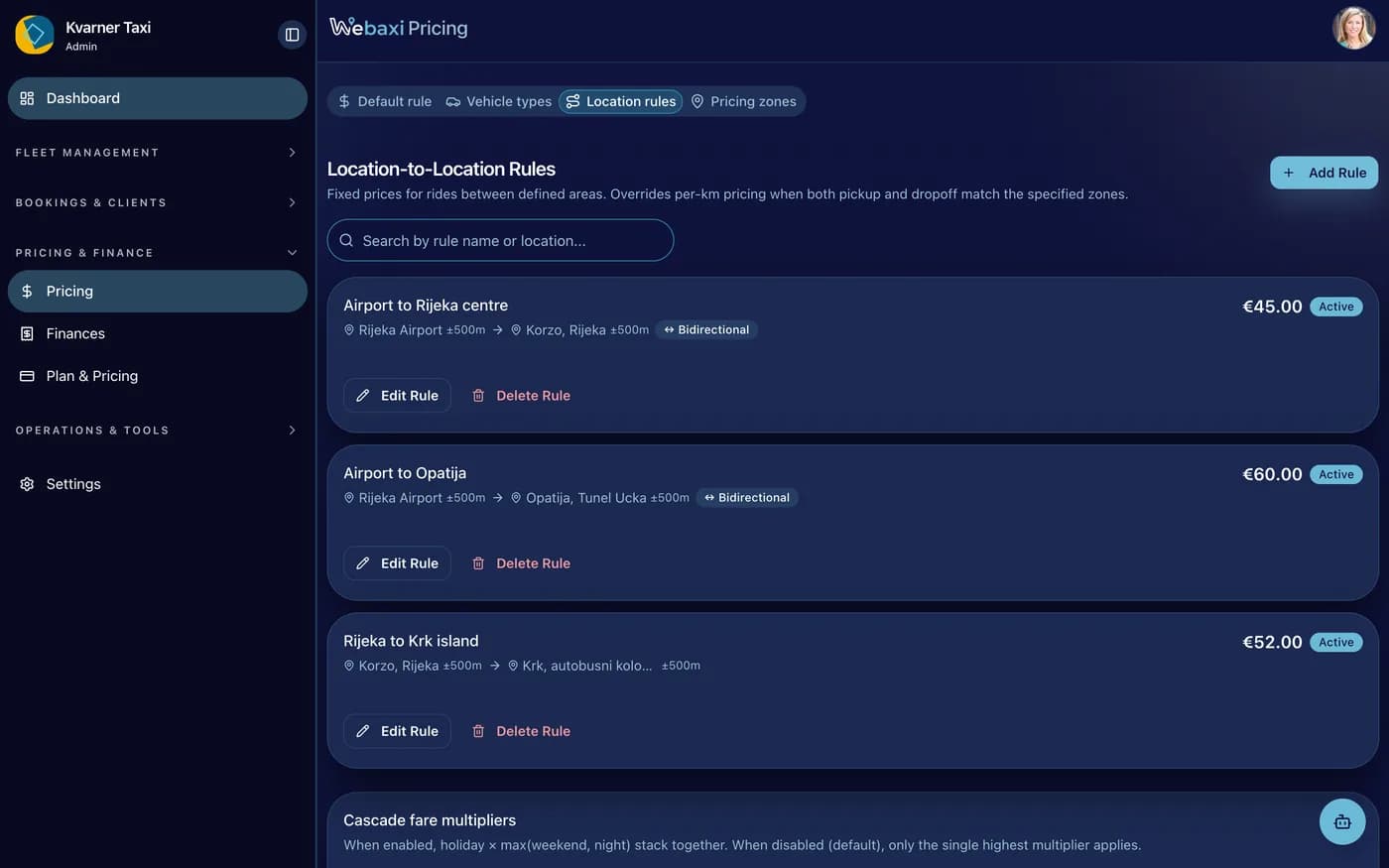
Zones with a radius and a price change, plus fixed point-to-point fares. You draw them on the map, and the next quote already uses them.
Pricing zones
Zagreb zone: 5 km around a point, price ×0,5, priority 10. The highest priority is matched first.
Fixed prices between places
Fixed fare between two points: from a 1 km radius to a 3 km radius, €80, bidirectional.
Night, weekend and holiday pricing
Night, weekend and holiday pricing layer on top of your geography.
The console grows with your team
One TaxiAdmin. From the owner who does everything to a network operator with regions.
Your whole office in one login
Create a booking from the phone call, watch it complete, read the revenue.
Owner and dispatcher, one workspace
Profiles with admin and manager roles: the dispatcher works the calendar, the owner watches the numbers. No paper handoffs.
Network tools for several cities
Memberships with service areas, pricing areas, payout documents and monthly driver statements. The same console, one tier up.
See the fleet move, then answer the customer
Two recordings from the console: a driver's shift replayed along the roads they took, and an unread rider message answered from inside the booking.
Fleet map and shift replay
Who is online, who is busy, and where. Then one driver's day replayed point by point.
Answering from the booking
The unread flag opens the thread with the rider and the driver in it, and the reply goes out from there.
The setup behind the board
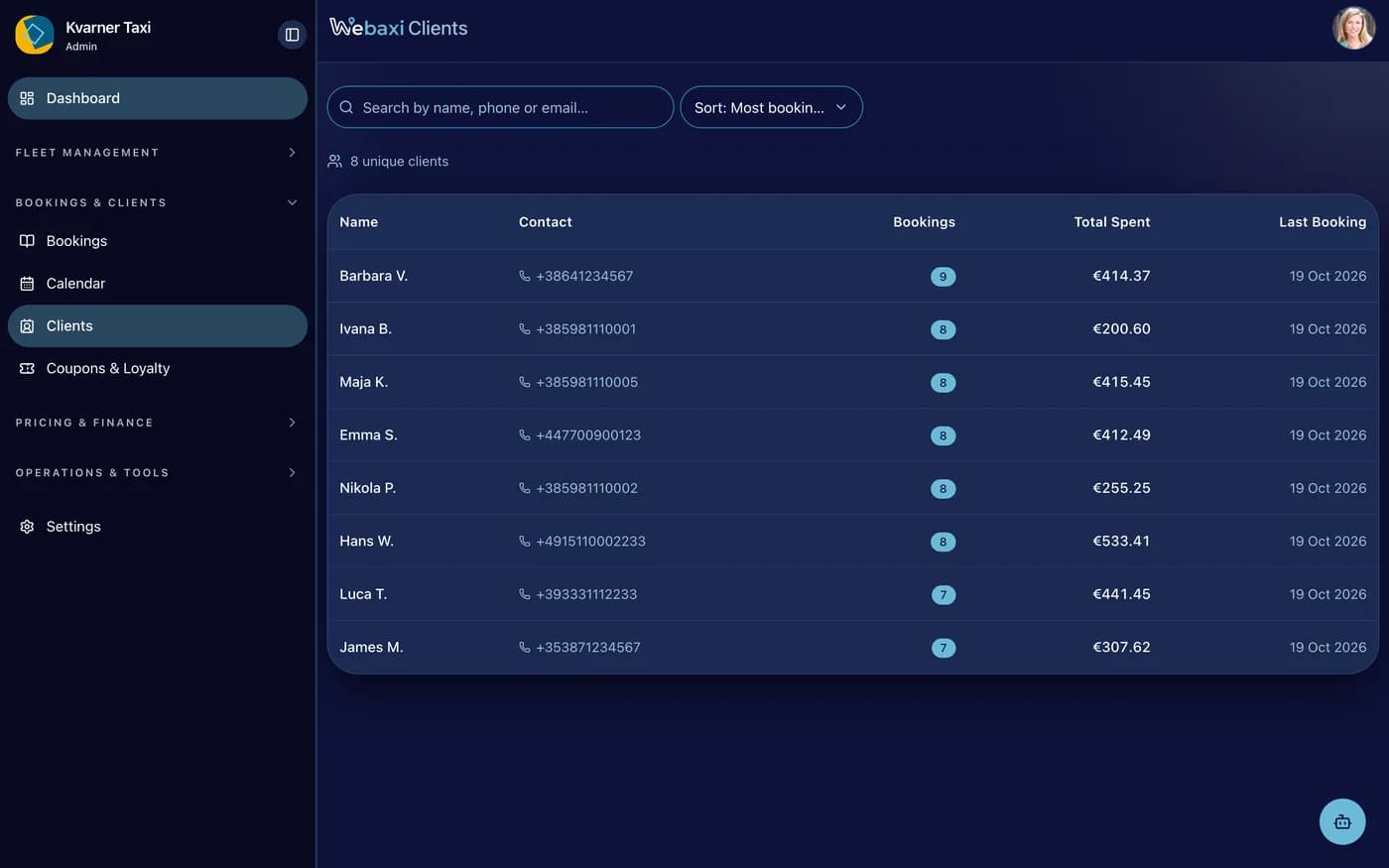
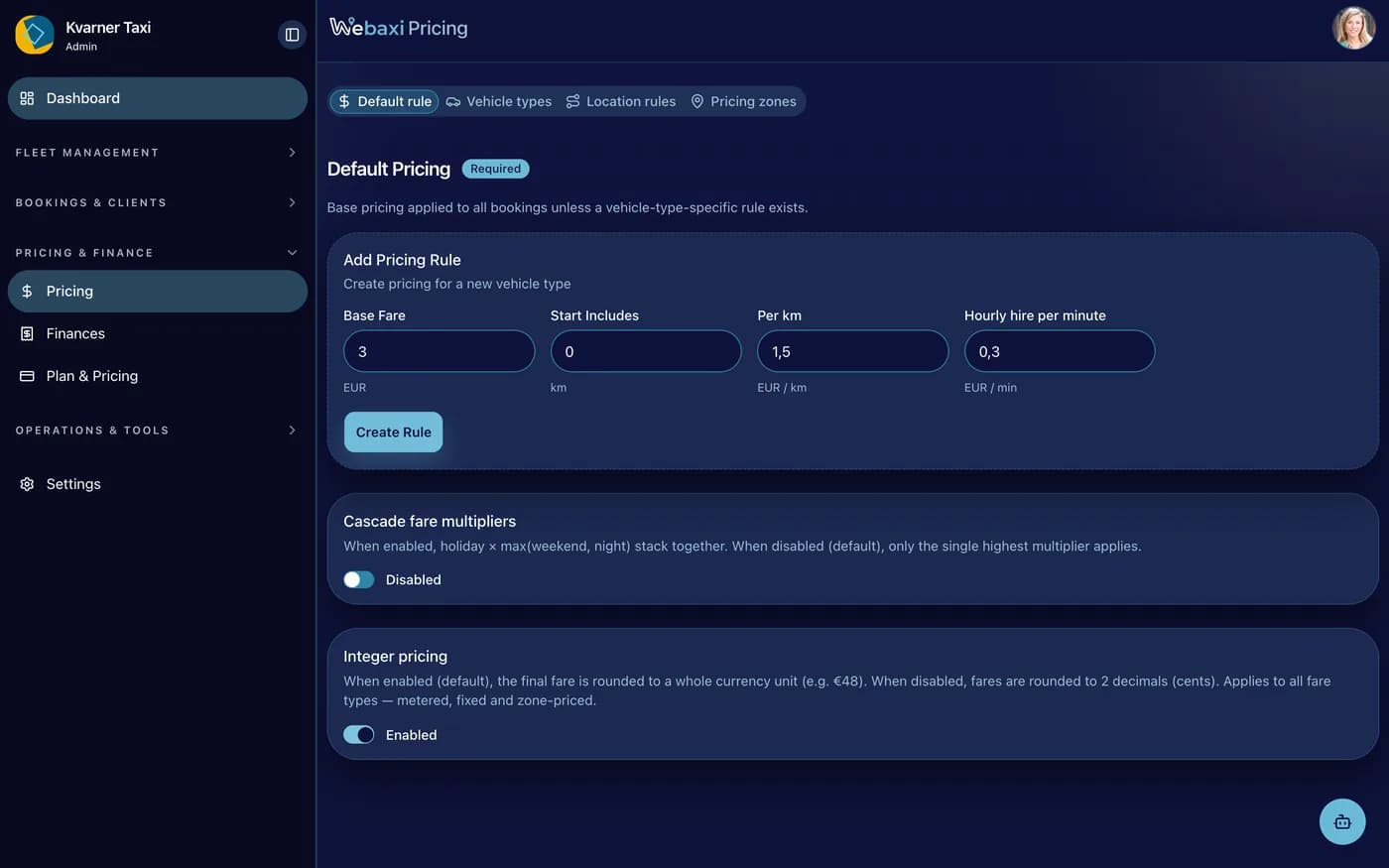
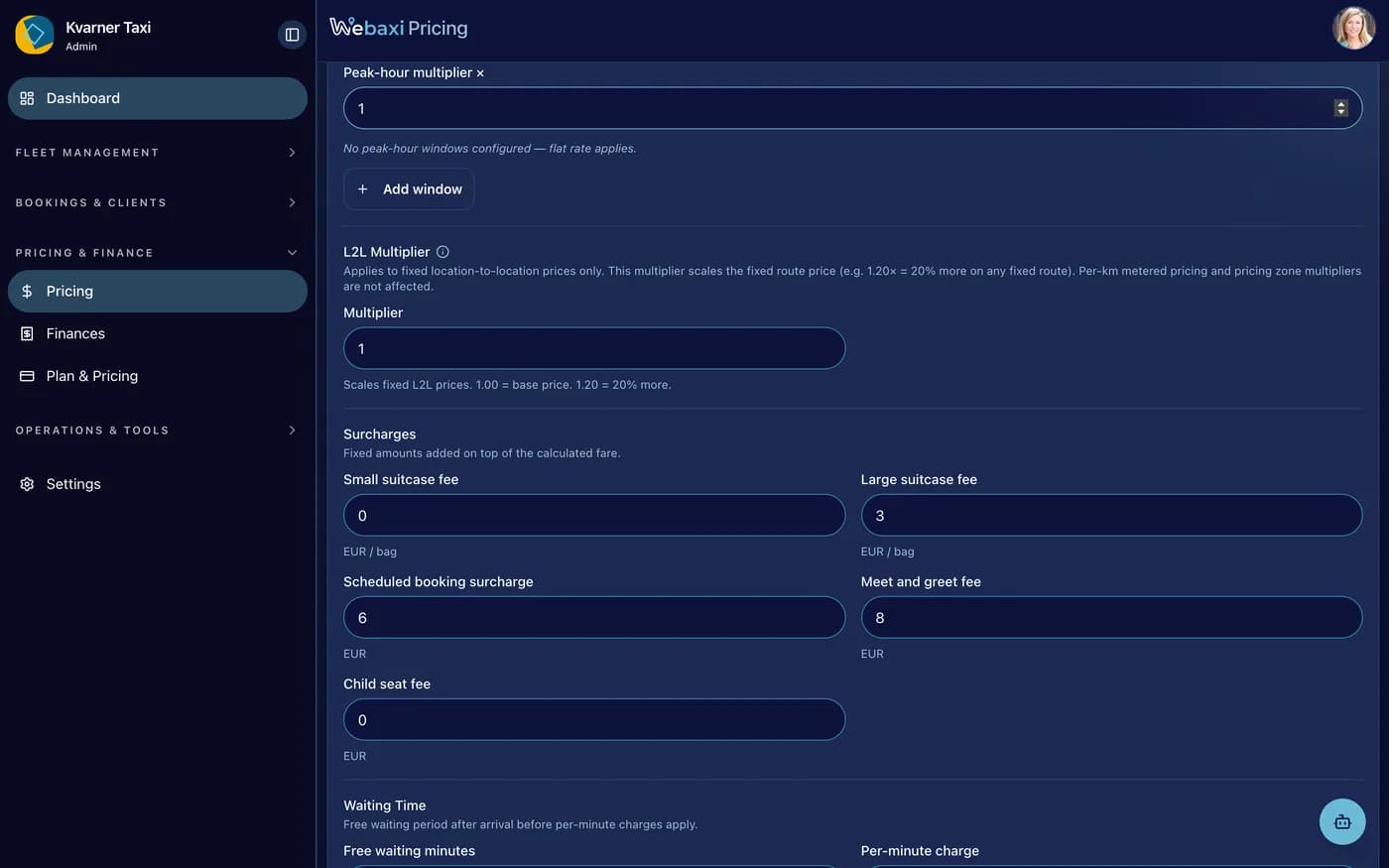
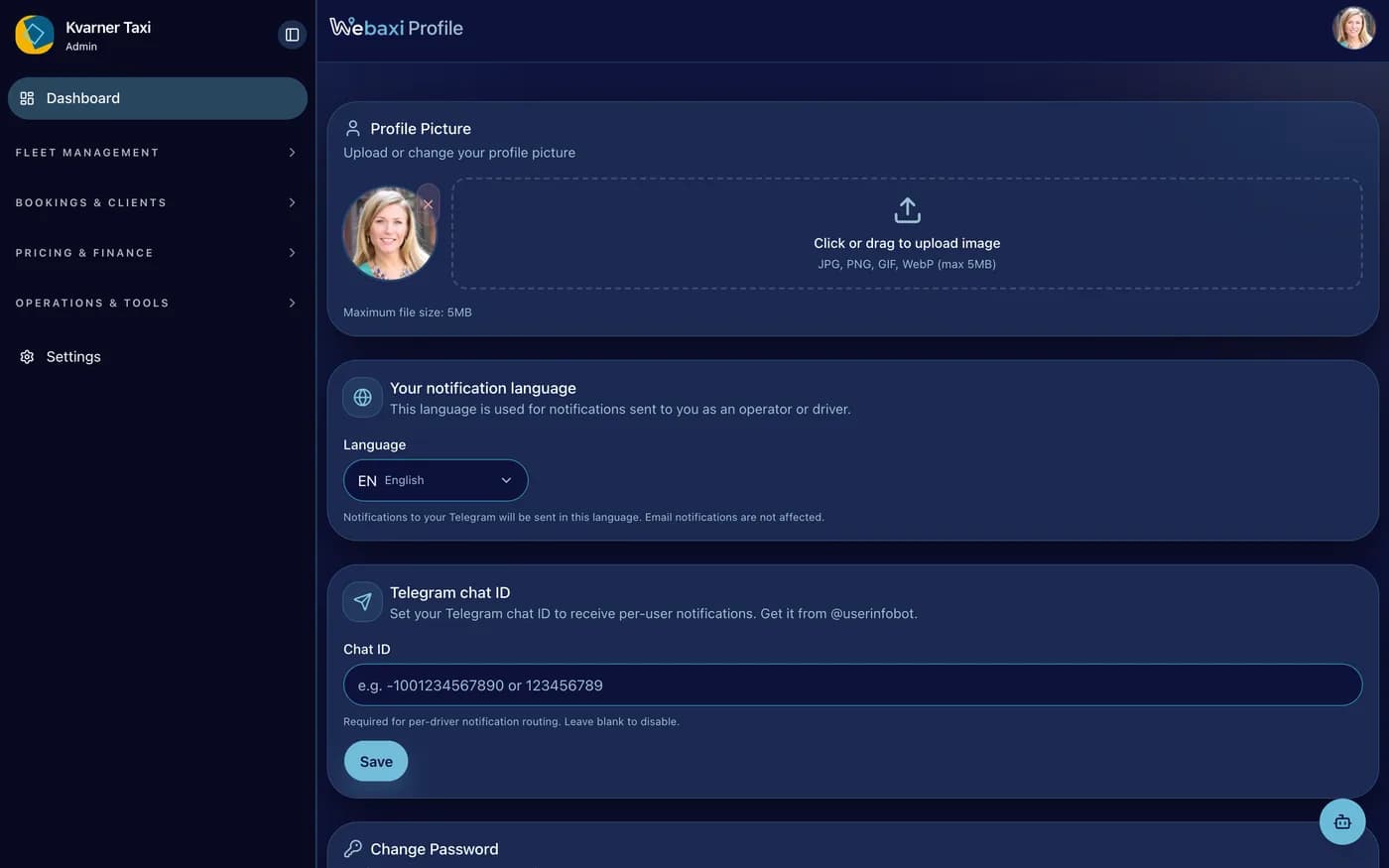
Vehicles and classes, the customers you keep, the finance workspace, pricing defaults and the company profile.
Screenshots in this gallery: Vehicles, classes and assignments, Customers, rides and spend, Finance workspace and statement generation, Default pricing for a vehicle class, Surcharges, waiting and luggage, Company profile and availability rules
Set up around the way you work
Switch features on or off, decide what customers see, set your prices and ride rules, and connect your own map, payment or AI account.
Branding & company
- Business name, logo and colours in your widget
- Timezone, currency, km or miles
- Map provider: open-source default or Google (your key)
What the customer sees
- Client check-in window: when it opens, when it closes, how much notice
- Client confirmation, card payment and advance deposits
- Review prompts, what clients may change, custom form fields
Dispatch and matching
- Auto-assign or manual offers, all drivers or specific ones
- Driver matching, grouped offers, overlap checks, auto-cancel rules
- What drivers see (price display), how often location updates, licence-photo check
Pricing & payments
- Zones, location-to-location fixed fares, peak and distance multipliers
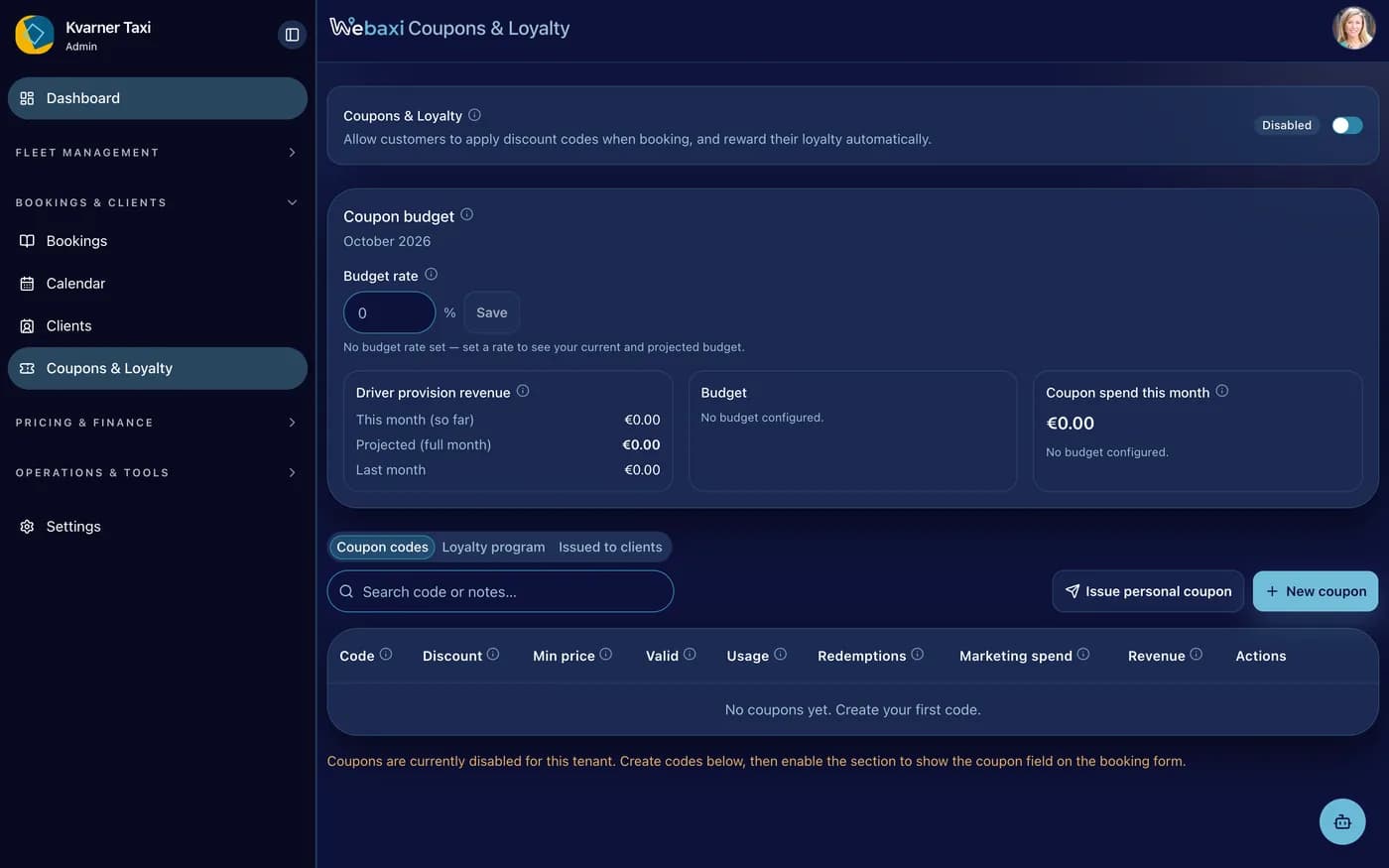
- Coupons with your own budget percent
- Payment processor: Stripe Connect or myPOS. Your accounts, money settles to you
AI & communication
- Chat only where you want it: before the booking or after the ride
- Auto-translate, voice agent, Croatian voices, one-click presets
- WhatsApp and Telegram: connect your own bot
Legal rules and city app
- City mode (instant booking) with your radius, ETA and rating rules
- Fiscalization provider, OIB, auto-fiscalize (planned)
- Client sign-in optional or required, privacy policy
Run on Webaxi defaults, or bring your own
Ask the assistant where any setting lives
Ask how to change almost anything. It says where and how, and can do it for you after you confirm.
Money goes straight into your own account.
Ride money goes to your own payment account. The Webaxi fee is a separate subscription.
And the platform fee?
The platform fee is a separate flat invoice. Any share taken on a shared ride comes from a contract you agreed, and you can see the split in the payout.
The customer pays, cash or card
Cash always works; cards are enabled per business. Paid before, during or after the ride. The client app shows paid and pending live.
Your payment provider, your money
Connect your own Stripe account or myPOS terminals in TaxiAdmin. The money arrives in your business account. Webaxi never holds ride money.
Deposits and no-show protection
Require an advance payment: a minimum, a percentage or a fixed amount, with an optional discount for paying up front.
Fair splits on partner rides
When a partner fleet serves your booking, Webaxi works out the split and records refunds and card disputes against it. No spreadsheet maths.
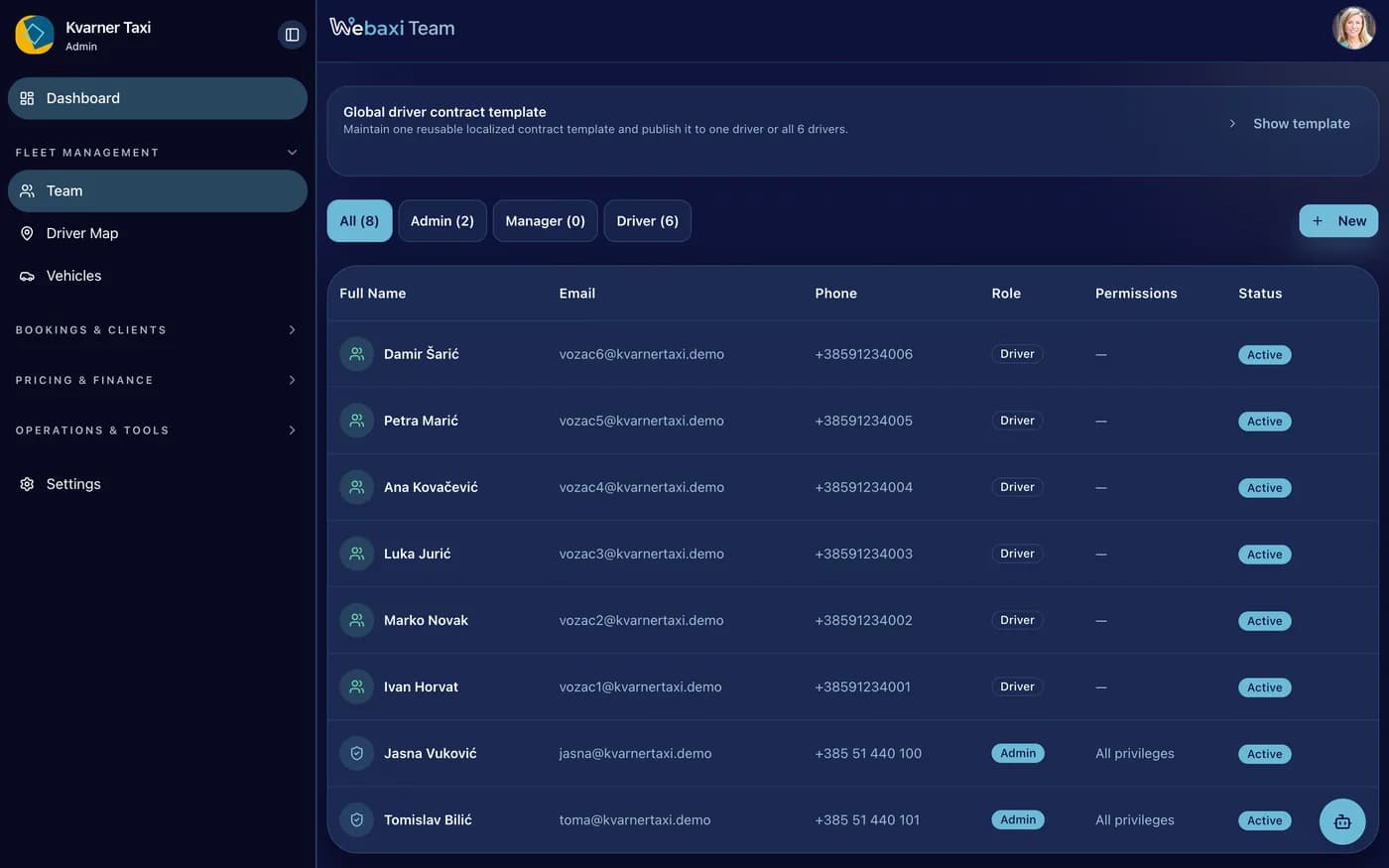
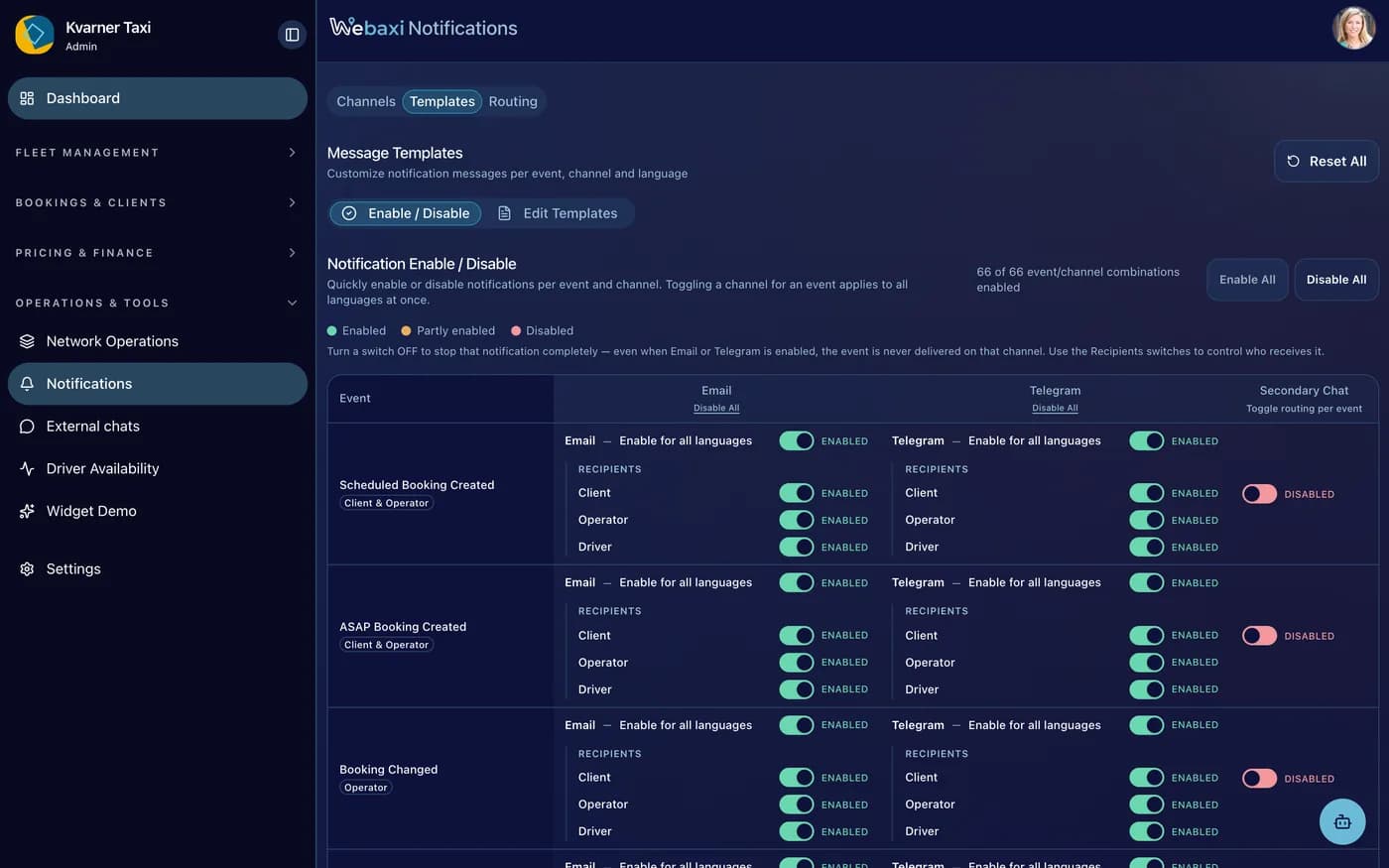
Screenshots in this gallery: Dispatch board, every live status, Driver map with live positions, One driver's day, replayed, Team, roles and statuses, Availability and matching diagnostics, Driver payouts and cash handled, Pricing zone editor, map and price change, Location-to-location pricing rule, Coupons and loyalty, budget, driver share and codes, Booking details, assign driver & forward to a partner, Notification templates, email & Telegram per event, Weekly schedule, bookings & status legend
A dispatcher's day, compressed
Open the console
Daily numbers, drivers online, revenue. The overview tells the story.
Dispatch from the calendar
Colour-coded blocks show exactly what must happen next.
Pass a ride on, accept one
Partner offers arrive in the same list you already work from.
Tune prices, watch revenue
Zones and fixed rules change what customers pay, instantly.
Your fleet, your rules
A tool for independent operators, the customers stay yours.